Field Manual
Bedrock Vault
Released v0.2.0A local world library for Minecraft Bedrock — the in-game list and the three Realm slots become hot slots, fed from an unlimited vault on disk.
Minecraft's world list holds what you're actually playing; the vault holds everything you own, however many worlds that is. Bedrock Vault reads both storage layouts straight from level.dat — name, game mode, difficulty, version, size, add-ons — and moves worlds between the game, the vault, your Realms and .mcworld files, backing up before anything destructive.
It's a desktop app and a vault CLI that does everything the app does, over the same core.
Worlds in the game
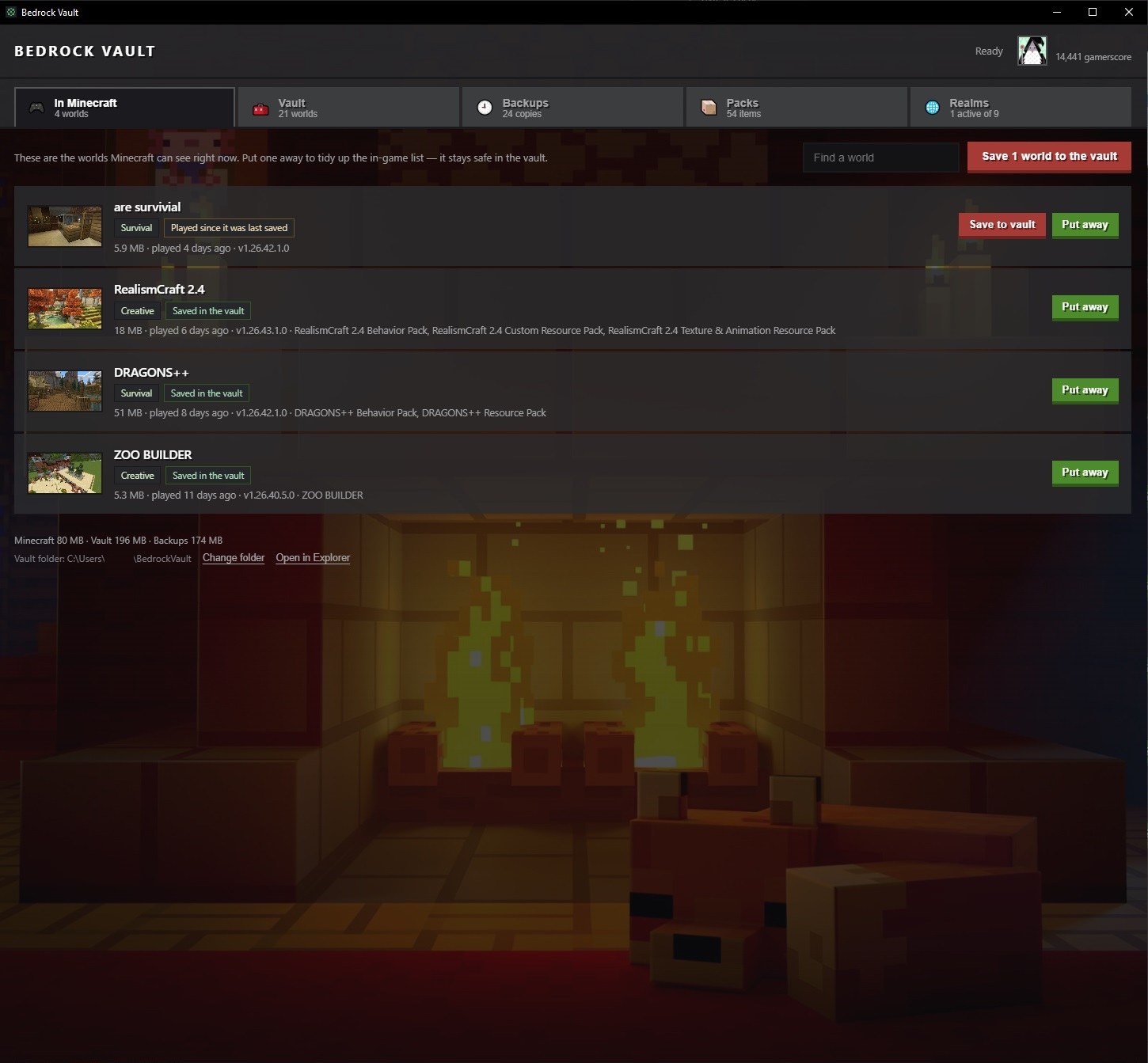
- Put away takes a world out of the in-game list — it stays safe in the vault, so the game holds only what you're playing.
- Save to vault copies a world that has been played since its last copy; one press does the lot.
- Each row says where its copy stands — Saved in the vault, Played since it was last saved — so nothing is put away that has not been kept.
The vault

- Send to Minecraft puts a world back in the game; Send to Realm puts one on a Realm slot.
- Back up takes a .mcworld snapshot — and says so instead of duplicating a world that hasn't changed.
- Delete takes a snapshot first, and that snapshot is never pruned.
- A tag says where each world last was — MC, REALM, FILE or BACKUP — and follows it as it moves. Identical copies fold into one entry instead of piling up.
Realms
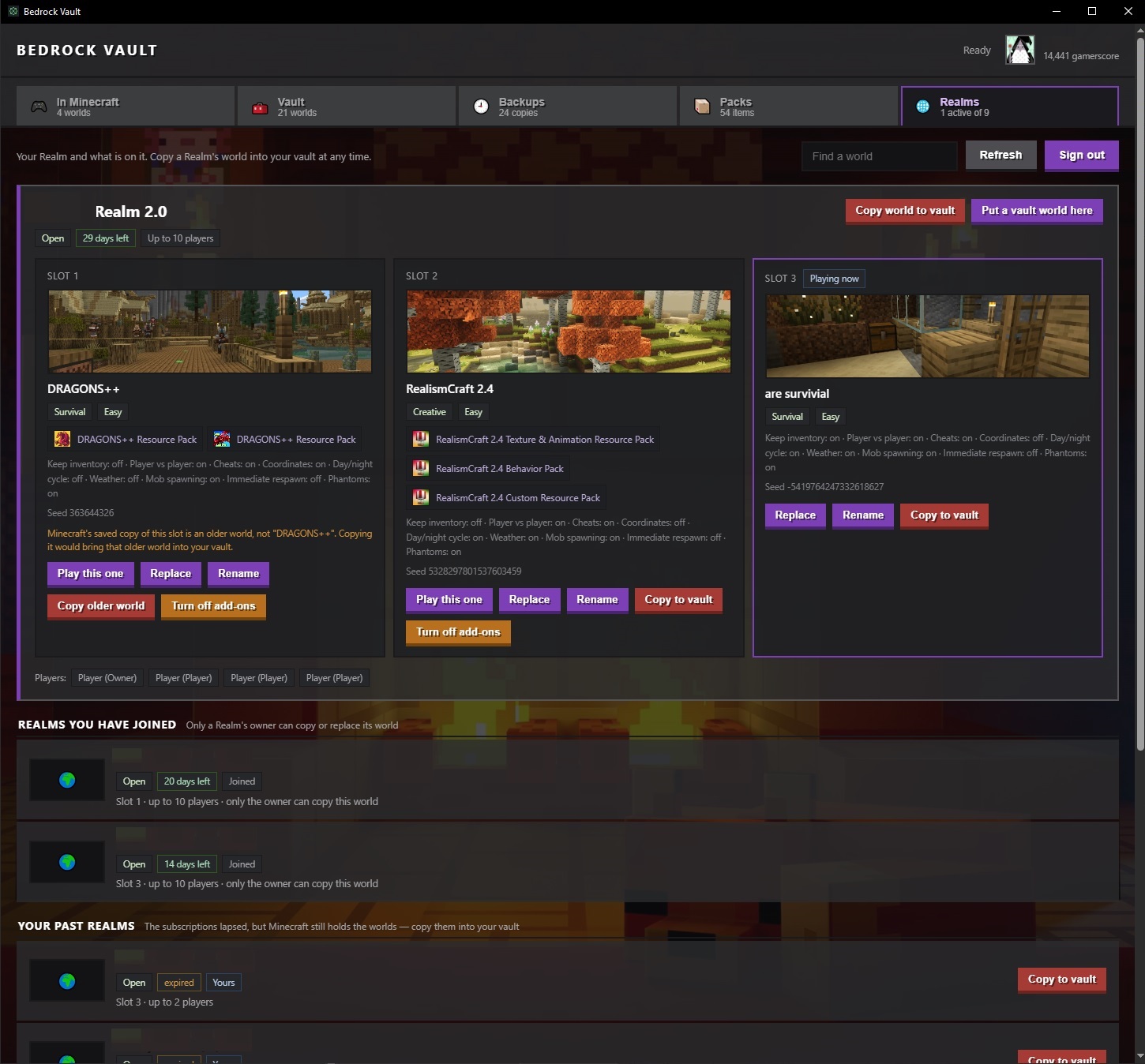
Sign in by device code — the app never sees your password — and your Realms come through in full: all three slots side by side, each with its world, picture, seed, add-ons, game rules, who plays there and how long the subscription has left.
- Copy world to vault brings a slot's world down; Put a vault world here sends one up, after downloading what's already there.
- Switch which slot the Realm runs, rename a slot's world, open a closed Realm right there.
- A lapsed Realm's worlds can still be copied into the vault.
Safety, before anything else
- Never operates while Minecraft is running. The world database is fragile under a live game; the check runs continuously and the header says whether the app is Ready.
- Backup before anything destructive. Archive, delete and Realm upload all take a snapshot first.
- Copy, verify, then remove. Every copy is checked before the source is touched, so a failure leaves the original intact.
Windows 10/11, both Bedrock storage layouts detected automatically. MIT licensed. Not affiliated with Mojang or Microsoft; Realm integration uses an unofficial API — use it with your own account and your own Realms only.